
Overview
It's useful to trigger an email message when someone submits a form builder form, either to let the person filling out the form know that their message was received or to notify an staff person that a form was submitted which may require follow up.
Requirements
Sending an email requires two extensions to be installed: civirules and emailapi. Please check with support to ensure these extensions are installed on your system.
Create a template
Sending an email notification requires an email template to be created. You can create by clicking Mailing -> Message Templates. Then click Add Message Template (you can also create a Mosaico template if you prefer, but check with support to ensure you have the mosaicosync extension enabled so your Mosaico template is available as a standard template).
When creating your template, you can use the contact tokens, which will be replaced with the values in the first contact on your form builder form.
Create a CiviRule
Click Administer -> Civirules -> Manage rules and click the Add rule button.
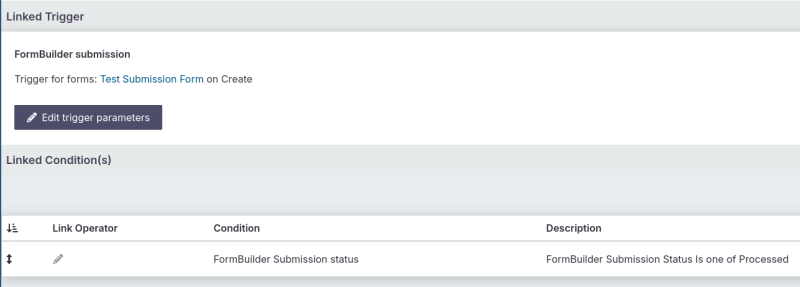
For the "Trigger" select "FormBuilder Submission"
On the next screen, choose the Form Builder you want to trigger on and select "create".
Next, create a condition "FormBuilder Submission Status" and choose "Processed".
At this point you should have both a trigger and a condition:
Lastly, add an Action: "Send Email" with no delay.
The fields for specifying the email are a little ambiguous:
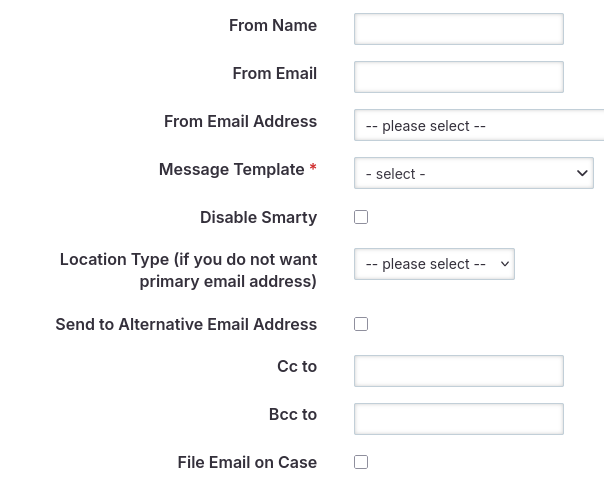
You can either specify a from name and address or choose from the drop down.
And, by default it will send to the first contact in your form builder form, unless you check "Send to Alternative Email Address " in which case it will only send to the contact you specify.